
In order for agents to easily enroll clients onto LifeSecure’s Plans a redirect link to LifeSecure’s agent portal should be added to agent’s Quotit account.
Below are instructions for agents to follow.
Log into Quotit site, select Settings at the top of page. You will then see the page below displayed. Under Agency Preferences Select Online Application Settings

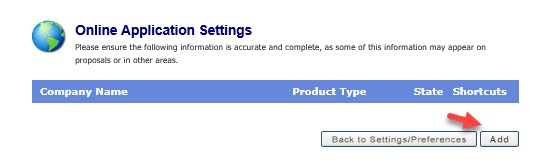
Select Add at the bottom of the page.
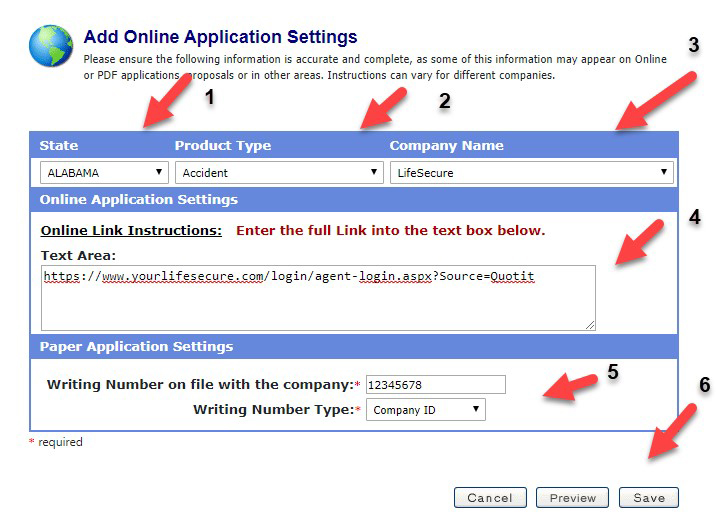
Using the drop down options, follow the next steps in order
Please call our Customer Service Department at 866-478-6848 Monday through Friday 8am to 5pm PST.